Get started: from signup to your first deadlines
Your first hour in ComptaFlow: create your account, add a client, turn on their services, and watch the filing deadlines appear. One path, no detours.
Who this is for: a firm owner on day one. Everything below works on the free trial, exactly as you signed up. Each step links to a full guide when you want more depth.
1. Create your firm
- On the sign-up page, enter your firm's name, your name, your email, and a password (at least 8 characters with an uppercase letter, a lowercase letter, and a digit), accept the terms, and submit.
- Your account starts on a 14-day free trial — no credit card. You are the firm's owner, and you land on your dashboard.
2. Add your first client
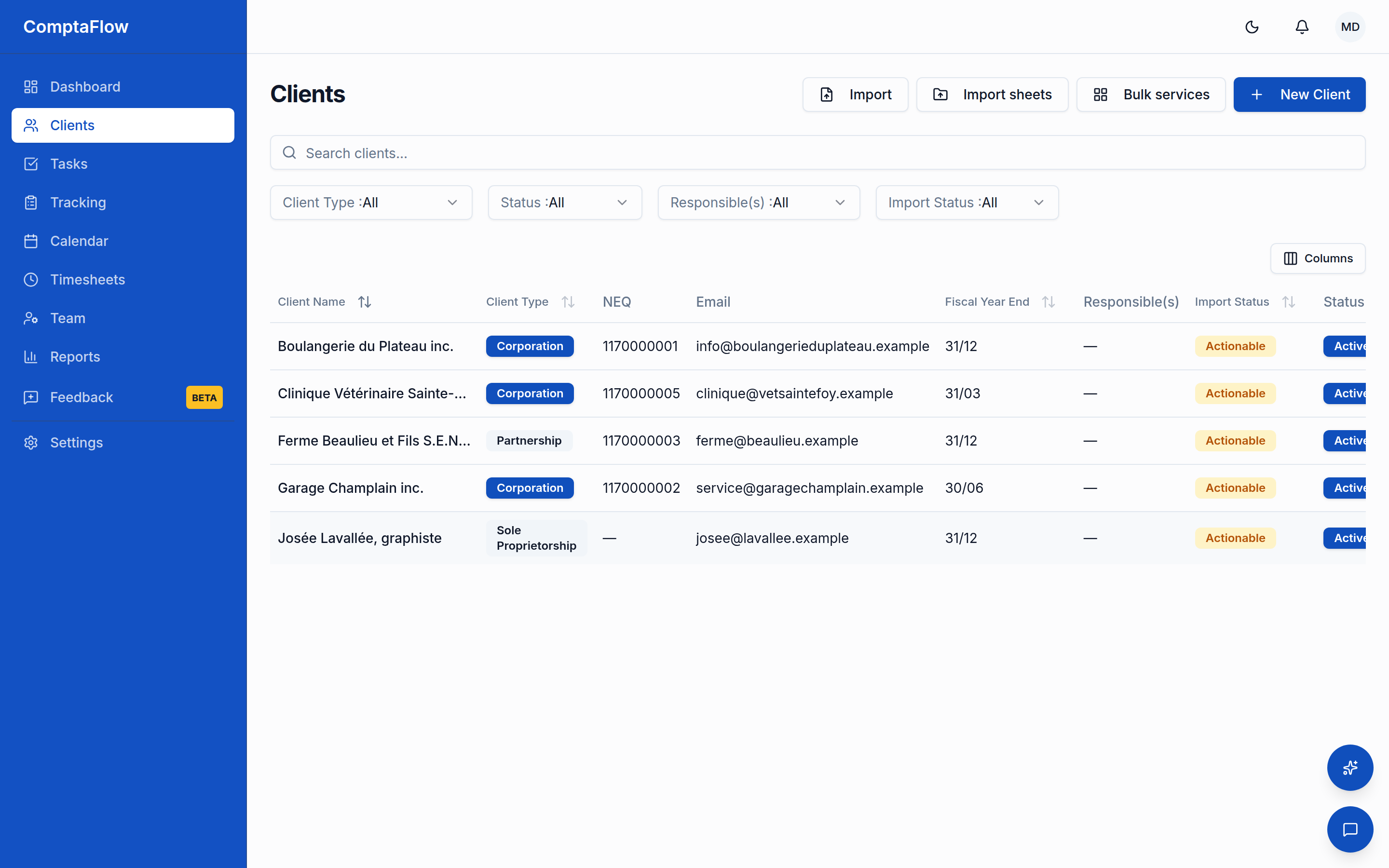
- Open Clients and create your first client. Two things are required: the name and the client type (corporation, sole proprietor, partnership, trust, individual, or non-profit). The type matters: it decides which filings apply.
- Add what you have on hand — NEQ, tax numbers, year-end date, filing frequencies. You can complete the record anytime.
Full guide: Add and update a client. The trial includes up to 10 clients.
3. Turn on the client's services
- On the client's record, open the Services tab and enable the services you handle for them — sales tax (TPS/TVQ), payroll, year-end, bookkeeping, personal tax.
- The moment you enable a service, ComptaFlow generates the upcoming task instances with their real deadlines: computed for the client's type and frequencies, and rolled past weekends and holidays to the next business day, following the holiday calendar of the agency each deadline belongs to (federal or Quebec). You are told how many tasks were created.
Full guide: Generate a client's compliance tasks and deadlines.
4. See your deadlines
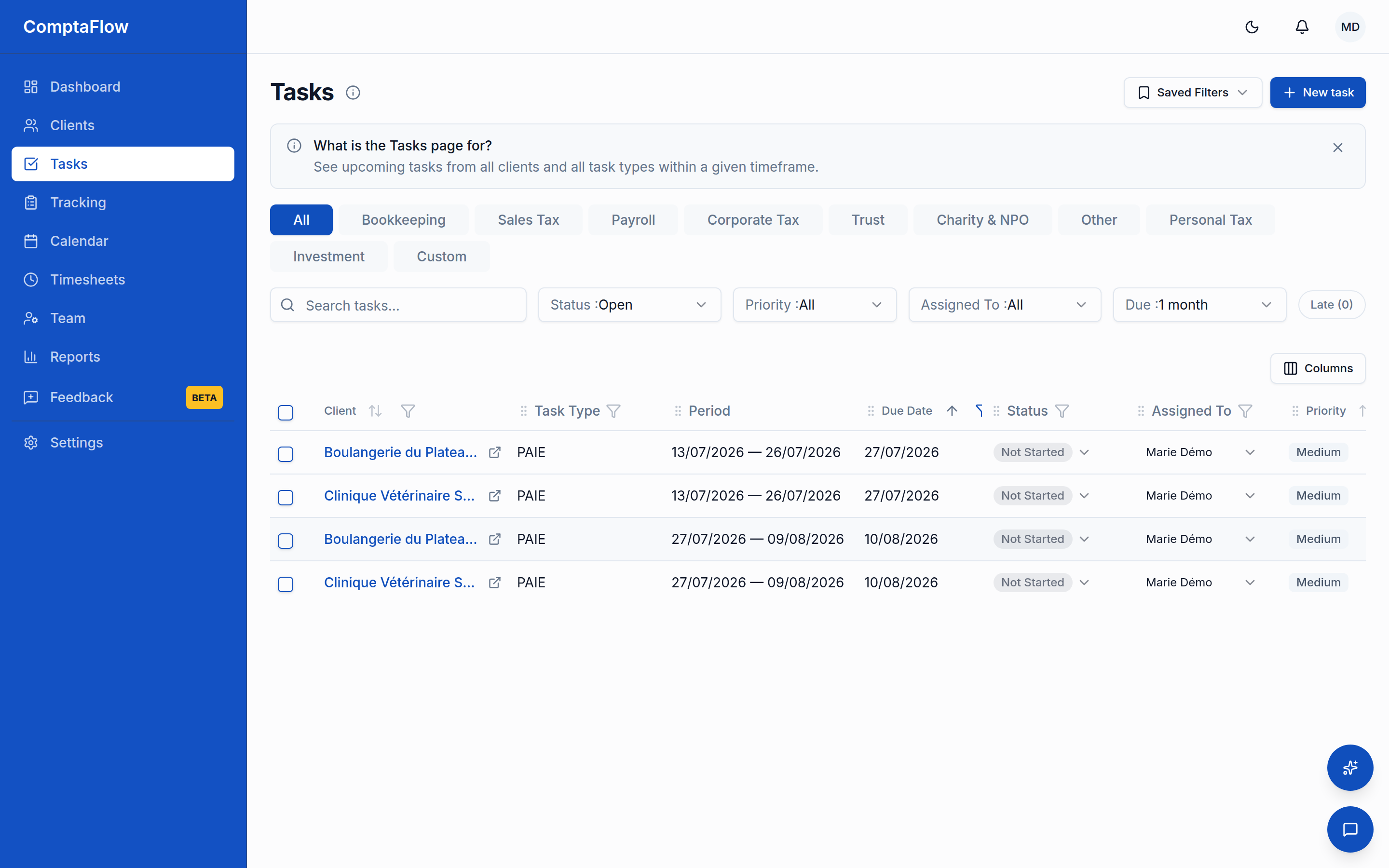
- Open Tasks: your open work, nearest deadlines first, with a category dropdown to narrow to one service group or category. Anything past due always shows, its due date in red.
- Open Suivi for the other view of the same work: one grid per service, one row per client, so you see where everyone stands on TPS/TVQ at a glance.
Full guides: Work my tasks day to day and Follow a service's deadlines in Suivi.
5. Work your first task
- Click a task to open it. Move it through your firm's statuses (any order — reaching the completion status stamps the date), tick the checklist steps as you go, and leave a comment for context.
That is the whole loop: clients drive services, services drive deadlines, deadlines drive your day.
When you grow
The trial runs the loop above end to end. On a paid plan you add, among other things:
- Your team: invite teammates, roles and permissions, team chat.
- Time: log time against tasks and approve the team's time.
- Scale: bulk import your client list, the calendar view, reports and exports, and deadline reminders.
- Your clients: on the Pro plan and up, invite a client's contacts to the client portal from the Portal tab on their record.
Pick a plan anytime in Settings → Administration → Billing: Start or change my subscription.